Hello, and thank you for entering the wonderful world of taxation! Paying taxes is a necessary evil because the government could not provide the services we rely on without them. To comply with South African law and make tax payments, you will need a tax reference number issued by the South African Revenue Service (SARS).
This digit is a personal identification number used to keep track of your tax payments and filings. This tutorial will teach you everything you need to know about SARS tax reference numbers—including how to apply for one, what it is, and how to retrieve it if you misplaced it.
How do I get a tax reference number from SARS?
Are you ready to get your tax reference number from SARS? No need to worry. It’s a simple process that can be done online or at a branch. First, check if you already have a tax number by checking with your employer, IRP5, or payslip. If unsure, you can call SARS or request it online through the SARS website.
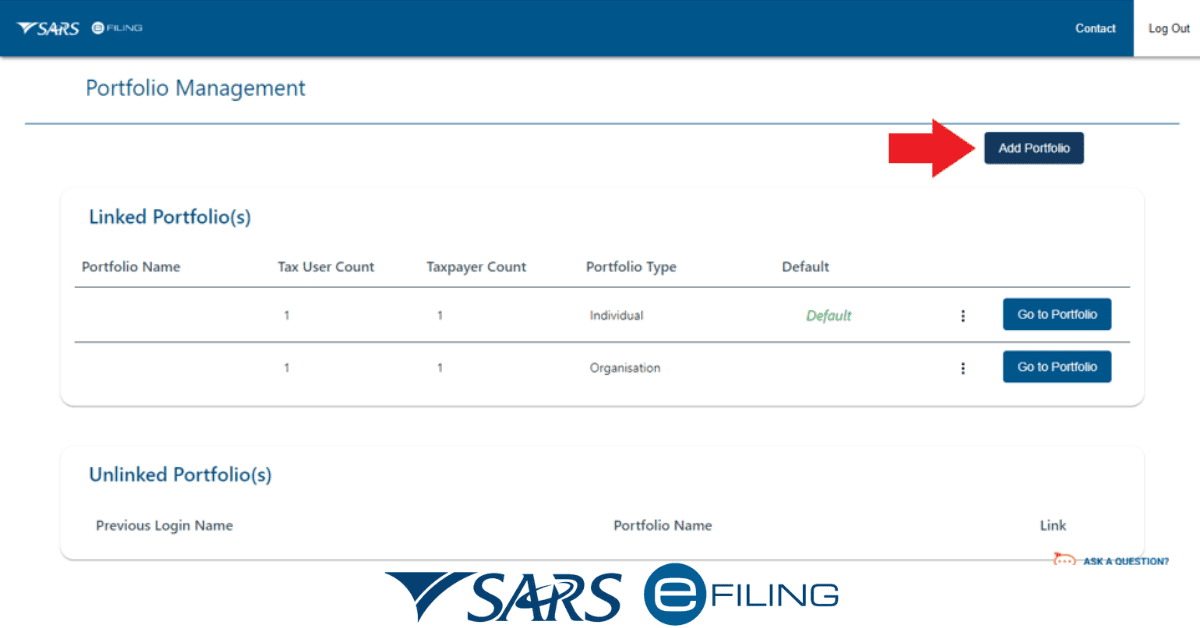
Registering for one is easy if you still need a tax number. Simply register on SARS eFiling – and SARS will automatically issue a tax reference number. If you prefer to register in person, visit your nearest SARS branch with a certified copy of your ID, proof of address, and 3 months of bank statements. Within a short time, you’ll receive your tax number digits as an IT150.
With your tax reference number in hand, you’ll be ready to take care of all your tax-related matters and stay compliant with SARS.
Is the tax reference number the same as the SARS number?
Yes, you may refer to the tax reference number as a SARS number. SARS assigns you this unique number, which you use to monitor your tax obligations and payments. Only you can access the number SARS uses to identify you as a taxpayer. Financial institutions and government agencies can also check your tax status using the reference number.
How do I find out what my tax number is?
If you still need to figure out what your tax number is, don’t worry! There are several ways to find out. Here are a few simple steps you can take to get your tax number:
- Send SARS a query
You can query SARS by visiting their website and clicking “Contact Us.” Next, you can select “Request your Tax number” and complete the form. Make sure your details match their records, as they will only provide your tax number if they can verify your identity.
- Check eFiling
If you’re already a registered eFiler, you can easily find your tax number on the eFiling portal. Simply log in to your account, and you’ll see your tax number on the dashboard.
- Use the MobiApp
If you have the SARS MobiApp, you can request your registration notice from that app. Simply log in, select “SARS Registered Details,” and follow the prompts to get your tax number.
- Visit a SARS branch
If all else fails, you can always visit a SARS branch to get your tax number. Make sure you book an appointment ahead of time, as visits to SARS branches are limited. Bring along your ID, passport, or driver’s license, and they should be able to provide you with your tax number on the spot.
What is a tax reference number example?
A tax reference number is a unique identifier assigned to you by SARS. It is usually made up of 10 digits, for example, 123-456-789. This number is used to keep track of your tax obligations and payments and is unique to you. The tax reference number is also known as a SARS number.
Can I get my SARS tax number online?
SARS eFiling makes it simple to apply for a tax ID online. The process is easy and quick, and it spares you the trouble of making a trip to the branch. When you sign up for eFiling, SARS will assign you a tax ID if you don’t have one. A legal form of identification from South Africa is all that is required.
You’ll get your tax identification number in a matter of minutes, and you’ll have 24/7, anywhere in the world access to your most vital tax documents. Now no more waiting in line at the SARS office because obtaining a tax ID through eFiling is as simple as counting to three. So, why hold off? Start now with complete assurance that you can handle your taxes successfully.
Can I find my tax file number online?
Getting your tax file number online is a breeze! You must visit the South African Revenue Service’s eFiling portal at www.sarsefiling.co.za and log into your account. If you’re not registered yet, simply click on the “Register” option on the top right-hand corner of the page, fill in your details, create a username and password, and you’re all set. Once logged in, your tax file number will be available under the “Personal Information” section on your homepage.
But if you’re having trouble finding it online, don’t worry! You can always reach out to SARS directly. Simply head to their website at www.sars.gov.za and click on the “Contact Us” option from the menu bar. Then, select “Request your Tax Number,” complete the form, and select “What’s My Tax Number” as your query type. SARS will then take care of the rest and send you your tax file number if everything checks out during the verification stage. So, no need to worry about a thing. Just sit back and let SARS handle it for you!
Where can I find my tax information online?
The eFiling portal at www.sarsefiling.co.za provides easy access to all your tax information. Your tax reference number, submissions, payments, and other tax data can be viewed by logging into your account. This online platform saves time and effort. Besides this, eFiling lets you organize all your tax information in one place, whether at home, work, or on the go.
Conclusion
In conclusion, finding your tax information has always been challenging. However, with the advent of technology and the internet, you no longer have to visit a SARS branch to get information about your tax status.
Simply visit the eFiling portal online, register for an account, and access all the information you need about your tax status in one convenient place. With the ease and comfort of online access, you can be confident that you will always be in the loop about your tax obligations and compliance status. So, log on and take advantage of this fantastic opportunity today!