How do you know NSFAS has approved my application? This is probably the most common question asked among thousands of NSFAS-funding hopefuls each year as they prepare to enter the new chapter in their lives of tertiary education.
As a former NSFAS-funded student, waiting for confirmation was perhaps the most stressful part of the entire application process, especially since I wasn’t sure how NSFAS would let me know if I was successful or not to begin with.
In this article, we’re going to put those nerves at ease and provide you with all the answers you need to know, including:
- How do you know NSFAS has approved my application?
- Do You Receive An Email Or SMS When NSFAS Approves Your Application?
- How long does it take for NSFAS to approve?
- And much more.
Let’s get straight into it.
How Do You Know NSFAS Has Approved My Application?
The first and most important information that every applicant should know is that NSFAS communicates application results to all applicants only once they receive confirmation that an academic offer has been made to the student from the university or college they applied to.
Every application moves through several processes before it can be approved, and the easiest way to view your application’s progress is to log into your MyNSFAS account, where you can view exactly which stage your application is in.
Check your application status in 3 easy steps:
- Login to the MyNSFAS student portal www.my.nasfas.org.za
- Sign in by entering your username and login
- Click on ‘Track Funding Progress’
Once you’ve completed the steps above, you should be able to see if your application has been finalized or if it is still going through the process.
Do You Receive An Email Or SMS When NSFAS Approves Your Application?
If you’re unable to log into your MyNSFAS account for whatever reason, NSFAS does notify all applicants of the outcome of their application via both SMS and email.
Here are a few things to remember:
- Ensure that you have access to the cell phone number that you provided on your original NSFAS application
- Ensure that you have access to the email address that you provided on your original NSFAS application
- Ensure that all your contact information reflected on your MyNSFAS account is up to date and accurate
Your MyNSFAS account is extremely important because the information that you’ve provided could delay or even affect the overall outcome of your application if it is incorrect. If information such as your cell number or email address has changed, you must update this on your MyNSFAS profile as soon as possible.
How do you know if NSFAS rejected my application?
As mentioned above, NSFAS will communicate your application outcome in 3 ways:
- NSFAS will update the status on your MsNSFAS profile to ‘Application unsuccessful’.
- NSFAS will send you an SMS with the outcome of ‘Application unsuccessful’.
- NSFAS will send you an email with the outcome of ‘Application unsuccessful’.
If your application is unsuccessful, NSFAS will allow you to appeal the outcome, provided that you have a valid reason for appealing. NSFAS only considers appeals for the following reasons:
- Changes in combined household income
- Loss of bursary or sponsorship
- Students that were unable to reapply for funding after a gap year
- If more than one student from the same household has enrolled for funding
- If you’re applying for a post-graduate qualification that is acceptable for funding by NSFAS
- Failure to meet academic criteria (you will be required to explain the reasons for your affected performance, such as a medical condition)
NSFAS appeal forms are downloadable from the NSFAS website. They can be submitted to the Financial Aid Office at the institution or emailed directly to applicationreview@nsfas.org.za, along with all supporting documentation.
How Long Does It Take For NSFAS To Approve?
Providing that all your information is complete, accurate, and submitted timeously, NSFAS advises that it takes up to 30 days to provide an outcome. However, through personal experience, I’d suggest allowing up to six weeks before growing concerned.
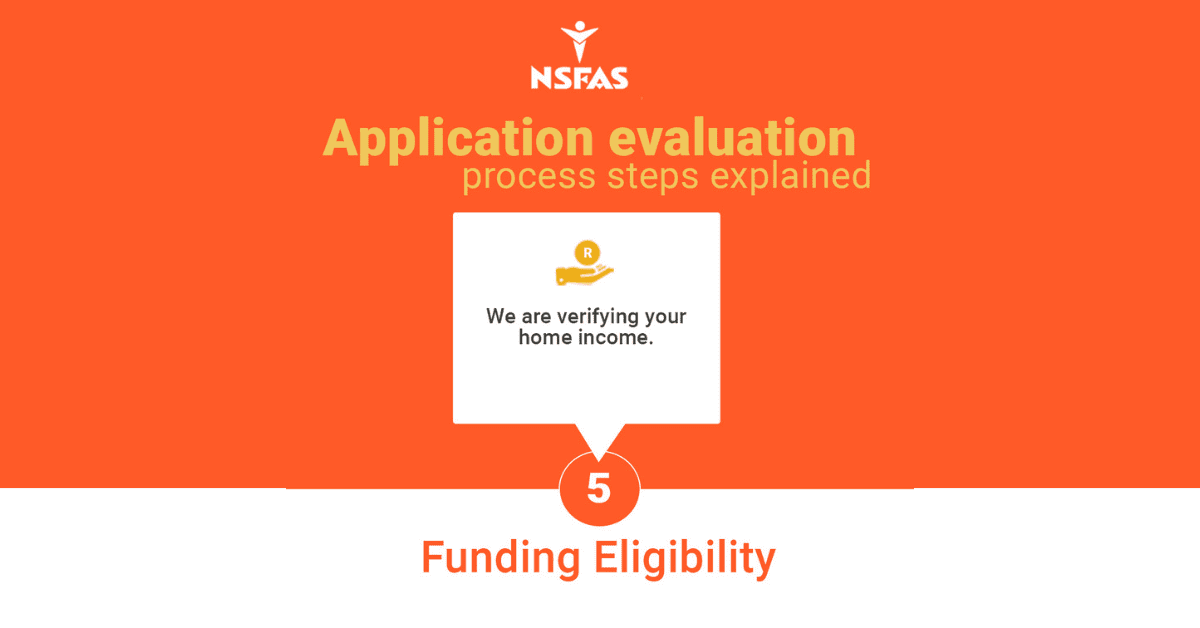
Students should be aware that each application has to pass through no less than nine stages before funding. Here are the stages:
- Application submitted
- Filtering
- Validation
- Evaluation
- Funding Eligibility
- Awaiting Academic Results/ Admission
- Awaiting Registration
- Signing of Agreement
- Payments
As your application moves through each stage, NSFAS will update the status on your MyNSFAS profile accordingly.
How Do I Get an NSFAS Approval Letter?
Once your application passes through all the stages above successfully, NSFAS will communicate the outcome of your application to you via SMS, email, and on your MyNSFAS account.
Thereafter, your confirmation letter should be automatically emailed to you or can be downloaded from your MyNSFAS account.
How To Sign NSFAS NBA Form
All students that have been approved for funding by NSFAS for the first time are required to sign an NSFAS Bursary Agreement (NBA) in order to accept the terms and conditions of funding. Here’s how to sign the NBA:
- You will receive a notification via email or SMS that contains a link to the online portal
- Once you click on the link, you will be required to input your ID number for verification purposes and to initiate the sending of a One Time Pin (OPT)
- The One Time Pin will be sent to the cell phone number you originally provided when registering with NSFAS.
- After you enter the One Time Pin, you will be able to electronically sign the NBA online.
When you’ve completed signing the agreement, you should see a notification stating that the Terms and Conditions of the NBA have been submitted. This means that your application was submitted successfully.
FAQs
Q: What should I do after signing the NBA?
A: After signing the NBA, you should download the NSFAS Wallet Guide. This guide will help you set up the E-wallet service that NSFAS will send your allowances.
Q: Where can I withdraw funds from?
A: Funds from your NSFAS wallet can be withdrawn from approved merchants, which include Checkers, Boxer, U-Save, and Spar stores nationwide.
Q: What if I need further assistance?
A: If you require any further assistance relating to your application process or the e-wallet facility, you can call the NSFAS contact centre on 086 006 7227.
Conclusion
Awaiting the outcome of an NSFAS application can be a nerve-wracking experience for even the calmest of heads. It helps to remember that it is a process and that there are hundreds of thousands of other applicants that are going through the exact same thing. The best way to manage your anxiety is by checking your application status on your MyNSFAS account frequently, which will provide you visibility into how your application is progressing through the various stages. Students should also ensure that their contact details are still valid and match the information that appears on their MyNSFAS account.