One of the hallmarks of a good citizen is prompt tax payment. In all dealings with the South African Revenue Service (SARS), it is crucial to follow the rules precisely. But filing your taxes can be scary if you’ve never done it. However, In this post, you’ll find detailed instructions on paying your SARS balance, using the mobile app to pay, or using Standard Bank, ABSA, or FNB.
Let’s get started!
How do you make a payment to SARS?
Making a payment to SARS can be a daunting task, but it doesn’t have to be. There are various options available that can make this process more manageable. One way to pay is by visiting your bank and quoting the correct beneficiary ID and payment reference number (PRN). You can pay at Absa, FNB, Nedbank, Standard Bank, and Capitec. However, if you prefer to do things electronically, then eFiling might be the way to go. This option allows you to set up a credit push or use one of SARS’ alternative payment methods. You can use the following banks for eFiling payments: Absa, Bidvest Bank, Capitec Bank, Citibank, FNB, HSBC, Investec, Nedbank, Standard Bank, Standard Chartered, Mercantile Bank, AlBaraka, Sasfin, and HBZ.
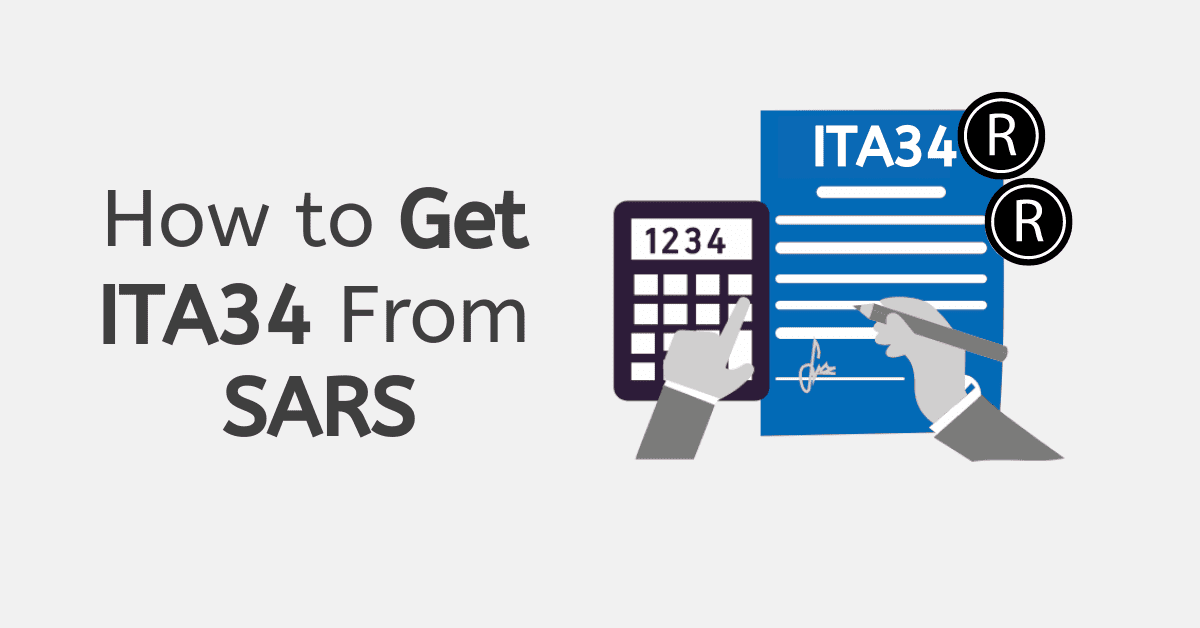
SARS MobiApp is another option you can use if you’re on the go. You can pay via your Statement of Account or your Notice of Assessment (ITA34). It’s essential to pay the correct amount due to you to SARS. You can also pay via Electronic Funds Transfer (EFT) using internet banking facilities or cash at a SARS Customs branch. For foreign payments, only FNB supports this method. Regardless of your chosen method, it’s crucial to ensure that you reference your payment correctly to avoid delays.
How do I pay my SARS outstanding balance?
SARS offers installment payment plans for outstanding balances. Therefore, you can pay your tax bill, including interest, in one big sum or installments.
You must meet specific criteria before entering a payment agreement. SARS may consider a payment arrangement if you have zero assets or liquidity likely to improve or if you expect income or other receipts to cover the tax debt.
The payment arrangement must cover the total obligation, and SARS will only consider it when you solve non-compliance. Before arranging payment, you must submit all outstanding returns and recons.
Also, before requesting another deferment, you must offer valid reasons for your previous payment default. Therefore, if you have an outstanding balance, contact SARS to discuss your alternatives.
How do I pay SARS on the mobile app?
Mobile app SARS payments are convenient and fast. As soon as the SARS MobiApp has been successfully downloaded and installed on a mobile device, you can access it directly from the app icon. Also, you can use the issued Notice of Assessment (ITA34) or account statement to submit payments.
First, you must verify your tax identification number with SARS. After doing so, launch the app and sign in using the options presented to you. Maintaining a fully functional app requires updating it regularly to work with your phone’s most recent software.
You may easily submit your tax payments whenever and wherever you like with the SARS MobiApp. Using the app requires an active data connection on your mobile device.
What is the SARS payment reference number?
The Payment Reference Number (PRN) is a unique identifier that SARS will use to credit your payment properly. It’s similar to a password and is required every time you transfer money to SARS from your bank account, whether online or in person.
For example, your tax return or bank statement already has the Personal Reference Number (PRN) generated by SARS pre-filled. Ensure you enter the PRN correctly to avoid problems with the payment’s processing. Contact SARS anytime if you have questions regarding your PRN or need help accessing your account on eFiling or the SARS MobiApp.
How do I pay SARS with Standard Bank?
Remember that the payment reference number is crucial when paying SARS through Standard Bank. Every taxpayer has a unique number used to credit the correct tax account. Problems may arise later if you don’t credit the payment to the right account because of an incorrect reference number.
You should pay your bills on time to avoid late fees and additional interest. There are options for automating tax payments and setting up payment reminders to reduce the likelihood of missing a payment due date.
Get in touch with Standard Bank’s support staff if you have any issues or queries regarding sending money to SARS through the bank. They’re there to answer any questions and ensure your payment goes through without a hitch.
How do I pay SARS from ABSA?
The Absa banking app or online platform makes paying SARS taxes easy for Absa customers. Start the process with a SARS reference number from your tax bill or by calling SARS.
After getting your reference number, follow these simple steps to pay SARS via Absa:
- Access your Absa online or mobile banking account.
- Select “Pay New Beneficiary” under “Pay.”
- SARS is the beneficiary.
- Provide banking information, reference number, and payment notification method.
- “Immediate Interbank Payment”
- Enter your payment amount and click “Next.”
- Confirm your payment details and click “Accept and Pay.”
- Final payment confirmation will arrive. Click the tab to confirm payment.
To protect your personal and financial information, log out of your Absa online banking account and use a secure internet connection.
How do I pay SARS from FNB?
Follow these simple procedures to pay SARS taxes from First National Bank (FNB):
- Visit the FNB website or app login.
- Select “Pay.”
- SARS (tax) beneficiary.
- Enter the SARS tax reference number. Your tax invoice or SARS might provide the reference number.
- Select your payment bank account.
- Confirm the payment amount.
- Verify payment information.
- Pay.
- Await payment confirmation.
Remember SARS may charge fees for electronic payments, so check the total before confirming the payment. Taxpayers should also record their payments in case SARS requests verification. These methods allow you to pay SARS taxes from your FNB account instantly.
Conclusion
To sum up, tax payment is a vital duty of every citizen. Taxpayers in South Africa have several convenient choices for meeting their financial responsibilities to the South African Revenue Service (SARS). Online payments for SARS taxes are available through several South African banks, including Standard Bank, Absa, and FNB.
With these options, taxpayers can make payments whenever it’s convenient for them, day or night. Ensure you have the correct payment reference number and preserve your payment record for your unique purposes before sending any money. Generally, on-time tax payments are a vital part of contributing to the growth of any nation.