If you want to register as a taxpayer, you need to provide certain documents. For instance, you will need your identity document, proof of address, and banking details. Many people who do not own properties usually experience problems getting proof of address, but this should not be a problem when you know the documents required. Read on to learn what you can use as proof of address for SARS
What Can I Use as Proof of Address for SARS?
SARS accepts different types of documents as proof of address for individuals as well as companies. You can use the following documents as proof of address if you want to register as a taxpayer.
- Bank statement or confirmation letter
- Utility account (water, rates and taxes, gas account)
- Co-op statement (farmers)
- Education institution account
- Mortgage statement
- Medical aid statement
- SABC television license
- eToll account
- telephone account for landline and cell phone networks
- Motor vehicle license information
- Major retail accounts
- Court order
- Traffic fine
- subpoena
- Life insurance documentation
- UIF documentation
- Health insurance
- Short-term insurance document
- Funeral policy document
- Current lease agreement
- Investment statement
If you stay in a house owned by a third party, you should obtain a “Confirmation of Entity Residential/Business Address” (CRA01) form, which must be completed and signed by the property owner. This form must come with the property owner’s valid proof of address.
When registering as a taxpayer, the document you provide as proof of address must reflect your name, surname, and physical address. If you have a lease agreement, you and the lessor or landlord must sign it. You need to consider the expiry date of the lease agreement.
If a close corporation/company/trust has only one member or director who is the taxpayer, they can use their residential address if the business operates from that physical address. Students can get confirmation letters from their respective institutions confirming their addresses.
Any document used as proof of address must have the initials/name and surname of the taxpayer together with the physical address. A postal address is not accepted as proof of address. The document must not be older than three months or one year if issued yearly or twice a year.
You can complete all the mandatory fields on the form online before printing it. If you want to attach the CRA01 form, you can print a blank form and complete it using ink.
If you live in a remote area when you cannot obtain some of the above-mentioned documents to use as proof of address, the Confirmation of Residential/Business (CRA01) form must be completed by the ward councillor, chief, or farmer.
How Do I Submit Supporting Documents on SARS Online on Query System?
SARS sends a list of the required supporting documents to all taxpayers. Some of the following supporting documents may be required:
- IRP5/IT3(a) employees tax certificate
- Income tax certificates
- Medical aid certificate
- Certificates received for foreign dividend income, local interest income, or foreign interest income
- Other documents showing deductions mentioned in the declaration of your return form
If you want to upload these documents via SARS Online Query System (SOQS), follow the steps below.
Complete the mandatory field, including tax reference number, taxpayer details, case number for the requested documents, and tax type (Value-Added Tax (VAT), income tax, transfer duty, Pay-As-You-Earn (PAYE). You will receive an email outlining the status of your documents.
Upload Requirements
- All documents must not be empty, encrypted, or password protected.
- Use any of the formats when uploading your documents (docx, doc, pdf, Xls, xlsx, jpg, gif, jpeg, png, or bmp.
- Document names must not have characters that include &,’ or;
- A single submission must have a maximum of 10 documents, and each upload must not exceed 5MB.
It is recommended that you should access the SARS Online Query System (SOQS) form using Google Chrome, Firefox, Microsoft Edge, or Safari. Do not use Internet Explorer.
What Documents Are Needed for SARS Tax Number?
When you register for the first time as a taxpayer via SARS eFiling, SARS automatically registers you and issues a tax reference number. Alternatively, you may need to visit your nearest SARS branch to register.
To get a SARS tax number, you must have different documents. You need a valid South African ID or other forms of proof of identity, including a passport, driver’s licence, temporary identity document, permit, or asylum seekers certificate. The copies of these documents can be certified or uncertified.
You must also have proof of address to get a SARS tax number. The documents you need for proof of address have been explained above. Ensure they are valid and signed by the right parties if you do not live on your property.
When registering for a SARS tax number, you must have proof of bank details. You can use an original bank statement or obtain one from an ATM or an eStamped statement. Your bank statement should not be over three months and should have your legal name, account type, bank name, account number, and branch code.
If your account is still new, you should get a confirmation letter from your bank with a letterhead and original stamp, and it should not be older than one month. It should also state the date when the account was opened.
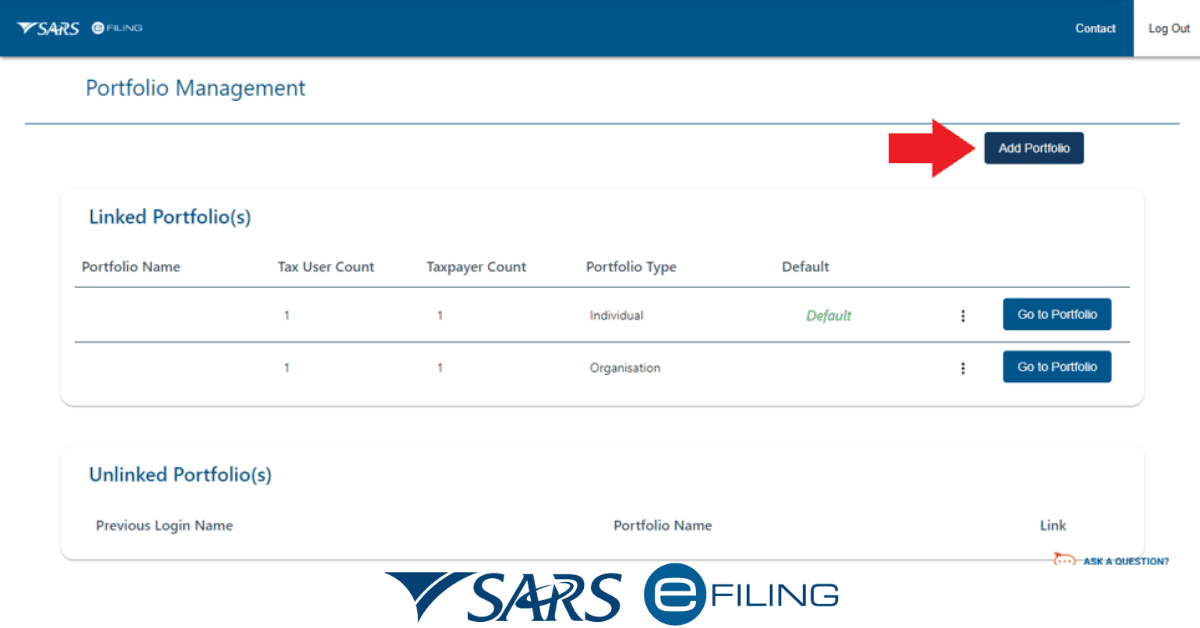
If a spouse wants to use her partner’s banking details, they must provide a certified copy of the marriage certificate. An affidavit is required in the case of a life partner. Once register and obtain your tax number, you should register for eFiling. This is an easy way to interact with SARS when you handle your tax issues. To register for eFiling, you need a computer with internet access, which can help you make payments to SARS and submit your tax return online.
If you want to register as a SARS taxpayer, you must have specific supporting documents, including proof of identity, proof of address, and banking details. These documents must bear the taxpayer’s name and should be valid.