While many of us handle our tax obligations ourselves, there may come a time when you need to authorize a third-party to handle some or all of your tax affairs for you. For example, you may want your tax-literate bookkeeper to handle something for you because they better know how to navigate the tax system and what procedures to follow. Additionally, companies need to appoint someone to act as their representative in their tax affairs. This is called appointing an agent, or registered representative, to act on your behalf in interactions with SARS. Today we walk you through everything you need to know about the process.
How to Check for Agent Appointment on SARS eFiling
Firstly, we need to tighten up some definitions here. If you want to nominate someone to handle your tax affairs, that is known as your Registered Representative to SARS, not your ‘appointed agent’. In SARS terminology, an appointed agent is someone nominated on an ITA88 to hold money on behalf of a taxpayer- someone like a bank, employer, or insurance fund.
This is usually done when you have become very non-tax compliant, and they wish a third party to oversee receiving their monies to settle your debt. Sometimes it will work the other way when they owe you money, but this is not as common. While the difference may seem small, it’s important to know it, as this is the ‘lingo’ SARS will use in discussion with you.
Here’s how to check for existing or in-progress agent appointments from an ITA88 via SARS eFIling:
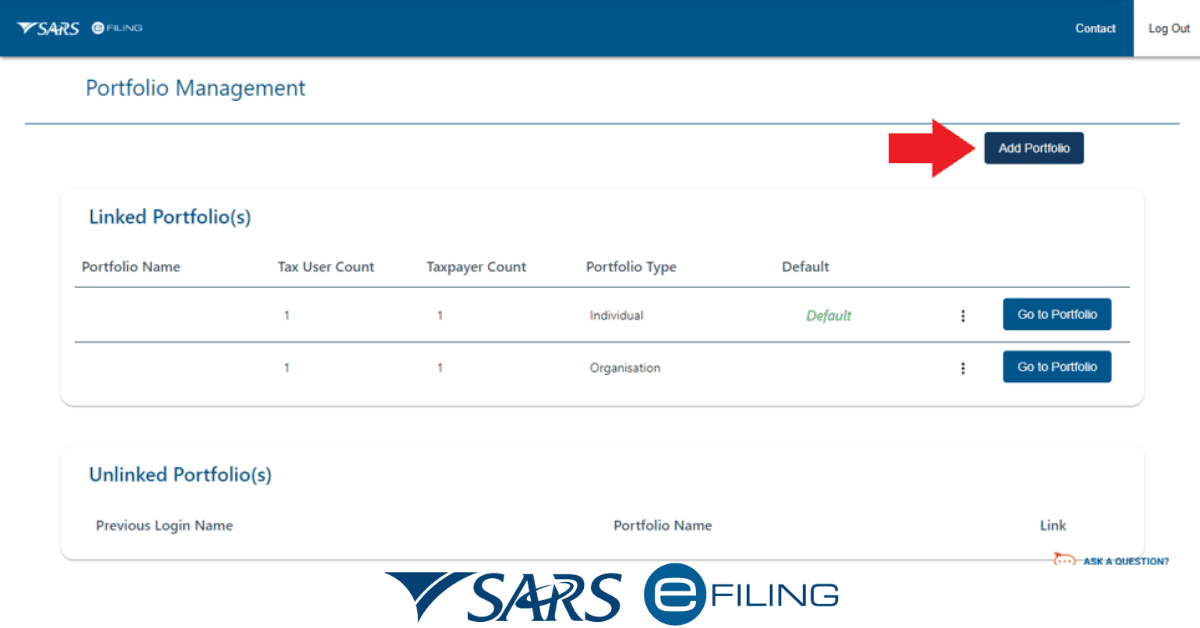
- Log in to your SARS eFiling account
- Click on the “Agent” tab at the top of the page.
- In the “Agent Appointments” section, you should see a list of all the agents who are appointed to act on your behalf.
- To see the details of an appointment, click on the “View” button next to the appointment you want to check.
- If you do not have an agent appointment, you can appoint an agent by clicking on the “Appoint an Agent” button in the “Agent Appointments” section. You will need to provide the agent’s SARS eFiling username and select the services they are authorized to perform on your behalf. Once you have made the appointment, the agent will need to accept the appointment before it becomes active.
How Long Does it Take to Get an Appointment at SARS?
Of course, there’s another type of appointment that may be concerning you- an appointment with a SARS representative to settle a matter you cannot complete via eFIling. While it is rare to encounter these circumstances, as SARS are trying hard to make the eFiling platform a one-stop solution for your tax matters, it is still something to know.
The time it takes to get an appointment at the South African Revenue Service (SARS) can vary depending on several factors, such as the location of the SARS office of your choice, the time of year, and the type of service you require. It is recommended that you make an appointment in advance to avoid long wait times and ensure that you can be seen by a SARS representative as soon as possible. Don’t expect this to be quick in the middle of tax season, for example! If possible, it would be best to delay routine admin until after flashpoint dates, like the end of income tax season, when SARS is very backlogged.
It is also possible to book an appointment online through the SARS eFiling platform, which may help to reduce the time it takes to get an appointment. When booking an appointment through eFiling, you can choose the date and time that works best for you and receive a confirmation of your appointment. Typically you will be able to get an appointment within a week or so of the date you log in.
If you are in need of urgent assistance, it is recommended that you contact SARS directly to inquire about their wait times and availability. They may even be able to assist telephonically with some matters.
How do I Reschedule my Appointment at SARS?
To reschedule an appointment at the South African Revenue Service, you can use your eFiling account for maximum convenience.
- Log in to your SARS eFiling account.
- Locate the details of your existing appointment and click on the “Reschedule” button.
- Select the new date and time that you prefer and confirm the rescheduling.
Alternatively, you can contact SARS directly to reschedule your appointment. You can find the contact information for your local SARS office on the SARS website. You will need to provide your appointment details and the reason for rescheduling and a SARS representative will assist you in rescheduling your appointment.
Can You Visit a SARS Branch Without an Appointment?
You can visit a South African Revenue Service branch without an appointment, but it is generally recommended that you make an appointment in advance to avoid long wait times. Additionally, SARS has stopped seeing people to handle certain routine enquiries better done through eFiling. SARS offices can get very busy, especially during peak periods such as the income tax season, and making an appointment can help to ensure that you are seen by a SARS representative as soon as possible and at your convenience.
If you do choose to visit a SARS branch without an appointment, it is important to arrive early and be prepared to wait, as wait times can be long. You may also be asked to make an appointment for a later time if the office is particularly busy.
In general, making an appointment through the SARS eFiling platform or by contacting a SARS office directly is the best way to ensure that you receive prompt and efficient service.
How Long Does it Take for SARS to Approve a Registered Representative?
Appointing a registered representative for your company is one of the few times where a SARS office visit may also be required, as it cannot always be handled via eFiling alone. Once the process is initiated, there will be a wait time while SARS processes it. The length of time it takes for SARS to approve a registered representative can vary, depending on factors such as the complexity of the registration process and the workload of SARS at the time of the application.
In general, it will take several weeks for SARS to process and approve a registered representative application. Once the application has been received, SARS will conduct a background check on the representative and verify their qualifications and experience. If there are any issues with the application, SARS may request additional information or clarification, which could delay the approval process.
If you need to appoint a registered representative, it is recommended that you start the process as soon as possible to ensure that the representative can start working on your behalf in a timely manner. If you have any questions about the registered representative approval process, you can contact SARS directly for assistance.
While the specific jargon used in the tax industry can be confusing, luckily, the processes are not. Whether SARS is insisting you appoint an agent, you need to appoint a registered representative, or you simply need an appointment with them, these matters can all be conveniently handled with the help of eFiling.