Taxes play a critical role in South Africa’s economy and are used to fund a wide range of public services, including healthcare, education, and infrastructure.
In South Africa, taxes are administered by the South African Revenue Service (SARS), which is responsible for collecting and enforcing the payment of taxes.
There are several types of taxes in South Africa, including income tax, value-added tax (VAT), and corporate tax.
Income tax is levied on individuals and businesses based on their income and is used to fund government services and programs.
VAT is a consumption tax that is levied on most goods and services sold in South Africa, with the exception of certain basic necessities such as food and medical supplies.
Corporate tax is a tax on the profits of companies operating in South Africa and is used to fund government services and programs.
One of the key challenges of the tax system in South Africa is ensuring that all taxpayers are paying their fair share of taxes.
This includes cracking down on tax evasion and ensuring that high-income earners and large corporations are paying their fair share of taxes.
If you believe that the South African Revenue Service (SARS) owes you money, there are a few steps you can take to check:
How can I check if SARS owes me money?
Check your tax returns: Review your past tax returns to see if you have overpaid on your taxes. If you have, SARS may owe you a refund.
Contact SARS: You can call the SARS Contact Centre at 080 000 7277 to inquire about any potential refunds or credits you may be owed.
You can also visit a SARS branch in person or use the SARS eFiling system (www.sarsefiling.co.za) to submit an inquiry.
Check your bank account: If you are expecting a refund from SARS, it will typically be deposited directly into the bank account you have on file with them.
It’s important to note that SARS may take several weeks or even months to process refund requests, so it’s best to be patient and allow sufficient time for your request to be reviewed and processed.
If you are unable to resolve the issue through these channels, you may want to consider seeking the assistance of a tax professional or financial advisor.
How do I claim SARS refund?
To claim a refund from the South African Revenue Service (SARS), you will need to follow these steps:
Check your tax returns: Review your past tax returns to see if you have overpaid on your taxes. If you have, SARS may owe you a refund.
Submit a refund request: If you believe you are owed a refund, you will need to submit a request to SARS.
This can be done through the SARS eFiling system, by visiting a SARS branch in person, or by calling the SARS Contact Centre at 0800 00 7277.
Provide supporting documentation: You may be required to provide supporting documentation, such as pay slips or proof of expenses, to support your refund request.
Wait for processing: It may take several weeks or even months for SARS to process your refund request.
Be patient and allow sufficient time for your request to be reviewed and processed.
It’s important to note that SARS has strict deadlines for submitting refund requests, so be sure to submit your request as soon as possible to ensure that it is processed in a timely manner.
If you have any questions or need assistance with your refund request, you may want to consider seeking the assistance of a tax professional or financial advisor.
How can I check my SARS status online?
You can check your tax status
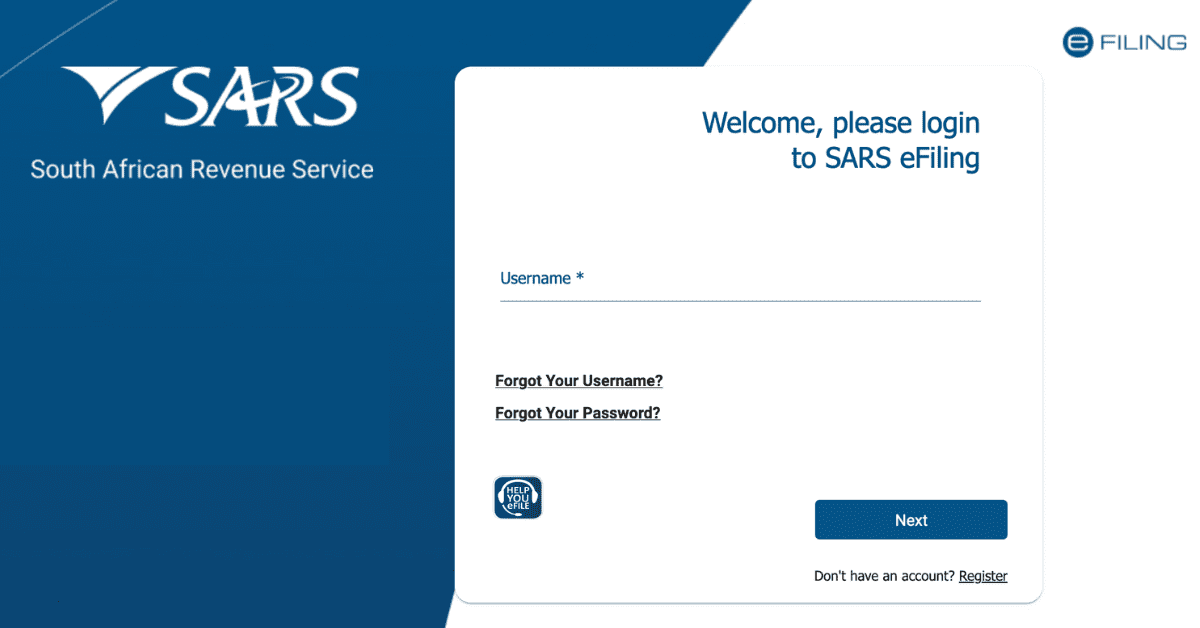
Go to the SARS eFiling website (https://www.sarsefiling.co.za/) and log in with your SARS eFiling username and password.
Once you are logged in, click on the “My Profile” tab in the top menu.
On the My Profile page, you will see a section called “Tax Compliance Status.”
This section will show your current tax compliance status as well as any outstanding issues or areas of non-compliance.
If you have any outstanding issues or areas of non-compliance, you can click on the relevant link to view more information and take action to resolve the issue.
It’s important to note that you can only check your tax status online if you are registered for SARS eFiling.
If you are not registered for SARS eFiling, you can visit a SARS branch in person or call the SARS Contact Centre at 0800 00 7277 to inquire about your tax status.
How long does it take for SARS to pay you back?
The length of time it takes for the South African Revenue Service (SARS) to pay you back will depend on a number of factors, including the complexity of your refund request and the volume of requests being processed by SARS at the time.
In general, it may take several weeks or even months for SARS to process a refund request and issue a payment.
It’s important to note that SARS has strict deadlines for submitting refund requests, so be sure to submit your request as soon as possible to ensure that it is processed in a timely manner.
You can submit a refund request through the SARS eFiling system, by visiting a SARS branch in person, or by calling the SARS Contact Centre at 0800 00 7277.
If you have any questions or need assistance with your refund request, you may want to consider seeking the assistance of a tax professional or financial advisor.
What happens if SARS does not pay?
If the South African Revenue Service (SARS) does not pay you the refund that you are owed, it could be due to a number of reasons.
It’s possible that there was an error in your refund request or that SARS requires additional information or documentation from you.
If you believe that you are owed a refund and have not received it, there are a few steps you can take:
Check your tax returns: Review your past tax returns to see if you have overpaid on your taxes. If you have, SARS may owe you a refund.
Contact SARS: If you have already submitted a refund request and have not received a payment, you can call the SARS Contact Centre at 0800 00 7277 or visit a SARS branch in person to inquire about the status of your request.
You can also use the SARS eFiling system to submit an inquiry.
Provide supporting documentation: If SARS requests additional information or documentation from you, it’s important to provide this as soon as possible to ensure that your request is processed in a timely manner.
If you are unable to resolve the issue through these channels, consider seeking the assistance of a tax professional or financial advisor.